PtOnOffButton
![[Previous]](prev.gif) |
![[Contents]](contents.gif) |
![[Index]](keyword_index.gif) |
![[Next]](next.gif) |
PtOnOffButton
An on/off button that can be set or unset
Class hierarchy:
PtWidget -> PtBasic -> PtLabel -> PtButton -> PtOnOffButton
For more information, see the diagram of the widget hierarchy.
PhAB icon:

Public header:
<photon/PtOnOffButton.h>
Description:
A PtOnOffButton widget displays an on/off button that can be set or unset. Instances of this class of widget are typically used in exclusive or nonexclusive groups.
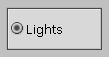
A PtOnOffButton widget.
You can set the position of the text relative to the button with the Pt_ARG_BALLOON_POSITION resource.
New resources:
| Resource | C type | Pt type | Default |
|---|---|---|---|
| Pt_ARG_ONOFF_STATE | unsigned char | Scalar | 0 (off) |
| Pt_CB_ONOFF_NEW_VALUE | PtCallback_t * | Link | NULL |
Pt_ARG_ONOFF_STATE
| C type | Pt type | Default |
|---|---|---|
| unsigned char | Scalar | 0 (off) |
The current state of the on/off button. If the button is off, this resource is 0; if the button is on, it's nonzero.
Pt_CB_ONOFF_NEW_VALUE
| C type | Pt type | Default |
|---|---|---|
| PtCallback_t * | Link | NULL |
A list of PtCallback_t structures that define the callbacks that the widget invokes when the state of the on/off button changes.
If you've set the Pt_CALLBACKS_ACTIVE bit set in the widget's Pt_ARG_FLAGS resource, these callbacks are also invoked when your application changes the state of the button by calling PtSetResource() or PtSetResources().
Each callback is passed a PtCallbackInfo_t structure that contains at least the following members:
- reason
- Pt_CB_ONOFF_NEW_VALUE
- reason_subtype
- 0 (not used).
- event
- A pointer to a PhEvent_t structure that describes the event that caused the callback to be invoked.
- cbdata
- A pointer to a PtOnOffButtonCallback_t structure
that contains at least the following member:
- int state;
- The current state of the on/off button.
These callbacks should return Pt_CONTINUE.
Inherited resources:
If the widget modifies an inherited resource, the "Default override" column indicates the new value. This modification affects any subclasses of the widget.
|
|
|
|